Stop Juggling Messages. Start Managing Orders.
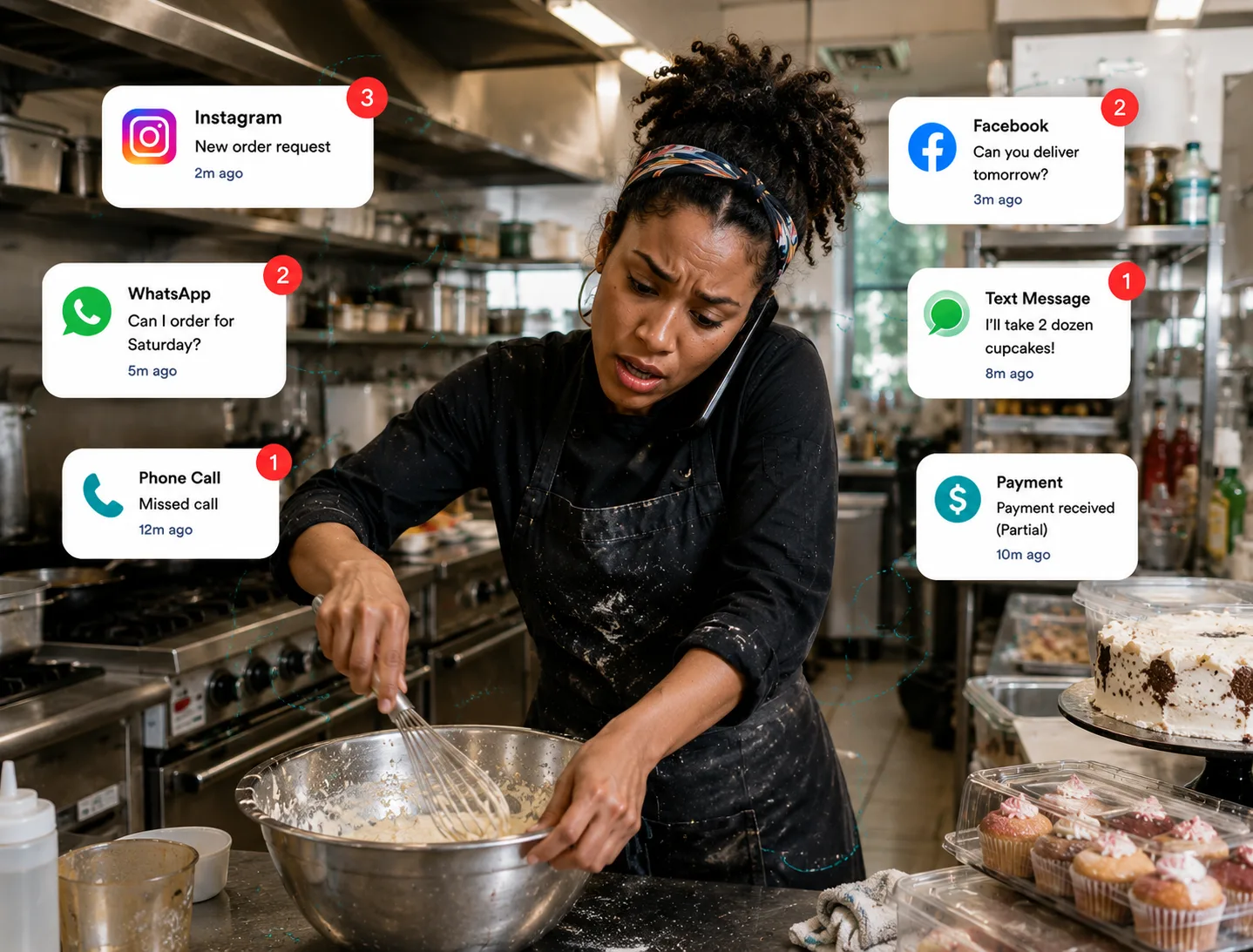
Keeping up with Facebook, Instagram, text messages, phone calls, payments, and pickup requests can quickly become overwhelming.
ListItNGo brings everything into one place so you can accept orders, collect payments, schedule pickups, and manage deliveries with less hassle.
Collect Payments
Schedule Pickups
Manage Deliveries
Grow Your Business
No monthly fees. Free to list.
Benefits from Listing a Preorder on ListItNGo
Sell your food with more control
From setting availability to offering delivery, with ListItNGo you can sell your homemade dishes with ease.
Schedule your availability
Choose time slots that fit your schedule.
Set your slot length, lead time, and booking window so buyers see exactly when they can place an order and when pickup starts.
- ✓Choose how far in advance orders can be placed.
- ✓Set pickup hours that match prep and handoff time.
- ✓Prevent late or off-schedule order requests.
Offer local delivery
Bring preorders straight to your customers.
Sellers can turn on local delivery, choose a radius, and decide whether to charge a flat fee or a price per mile.
- ✓Set a delivery area that works for your kitchen.
- ✓Charge delivery with fixed pricing or per-mile pricing.
- ✓Keep pickup and delivery in one preorder workflow.
10
Price per mile
▾
1.50
e.g., 5.00
Buyers will be able to request local delivery within the radius you set. Delivery pricing will use either your fixed rate or per-mile settings.
Menu customization
Build Your Menu
Add required and optional selections so buyers can choose the right meal, sides, or add-ons before checkout.
- ✓Use required choices for things like proteins or side selections.
- ✓Add optional extras and pricing without separate item listings.
- ✓Reduce manual order corrections and follow-up messages.
Choose Fullfillment
Choose how you want to fulfill.
Select your fulfillment preference: pickup, delivery, or meetup. Choose the handoff option that works best for each preorder listing.
- ✓Offer pickup when buyers want a fast local handoff.
- ✓Turn on local delivery for customers inside your delivery radius.
- ✓Use meetup preferences when you want a public handoff option.
Accept deposits
Collect payment before the order is prepared.
Give buyers the option to secure a preorder with a deposit or pay in full up front. ListItNGo shows what is due now and what can be collected later at pickup or delivery.
- ✓Choose no deposit, a fixed amount, a percentage, or full payment.
- ✓Make checkout clearer by showing the deposit due now and the remaining balance later.
- ✓Use secure online payments to lock in serious preorders before you start cooking.
Choose a payment option
Pay Deposit
Secure your preorder with a deposit before pickup or delivery.
Deposit due now
$10.00
Remaining at pickup
$14.00
Estimated total
$24.00
Pay in Full
Let buyers pay the full preorder amount now and complete everything in one checkout.
Deposits help At-Home cooks reduce no-shows and prepare with more confidence before pickup or delivery.
Multiple Payment Options
Accept secure online payments with Stripe.
ListItNGo has partnered with Stripe so At-Home cooks can collect preorder payments through a trusted checkout experience. Buyers can securely pay with a card, complete a deposit, or pay in full before pickup or delivery.
- ✓Use Stripe-powered checkout to accept secure debit and credit card payments online.
- ✓Give buyers clear payment choices, including deposit-first preorders and full payment at checkout.
- ✓Protect both seller and buyer with a recognized payments partner while keeping payout tracking inside ListItNGo.
Secure checkout partner
Powered by Stripe

Stripe helps power secure checkout for preorder listings so sellers can accept payments online with confidence and buyers can pay before handoff.
Accepted payment methods









Payment method availability can vary by device, browser, and checkout eligibility.
Stripe processes the online payment, while ListItNGo keeps your preorder details, pickup or delivery flow, and earnings tracking in one place.
Seller Dashboard
Keep preorder earnings and payouts in one place.
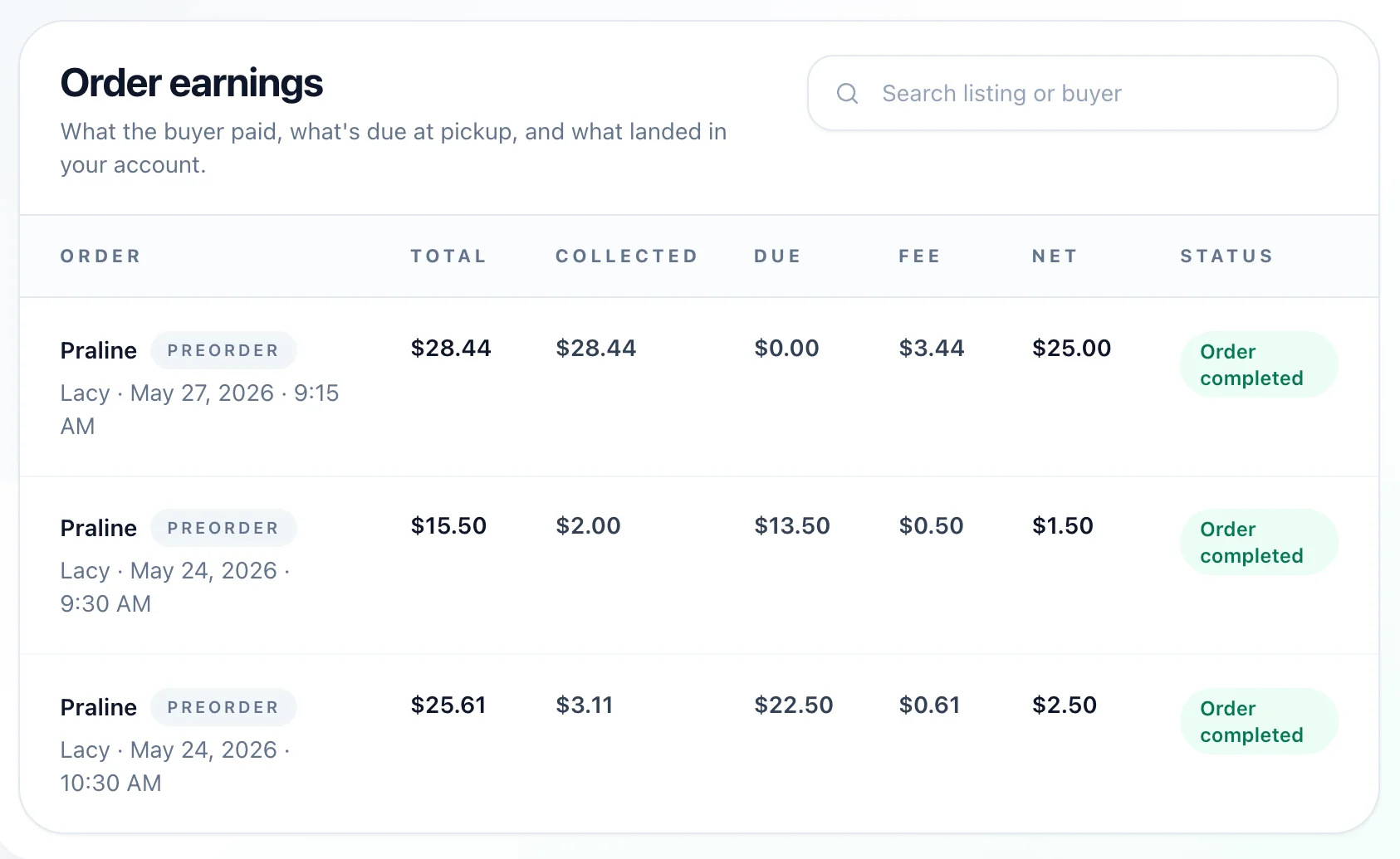
At-Home cooks can see what is available now, what is still pending, and how much they have earned overall without leaving their seller dashboard.
- ✓Track released funds that are ready for payout.
- ✓See pending preorder balances until pickup or delivery is completed.
- ✓Review total preorder earnings and payout progress from one dashboard view.
Earnings & Payouts Overview
Your secure money headquarters. Monitor deposits, track items waiting to be handed off, and transfer cleared balances simply.
Available Now
$111.60
Released funds currently sitting in your payout balance.
Earnings
$116.10
Total net since joining
Built for Every Type of Seller
Whether you're selling homemade meals, catering events, baked goods, or running a food truck, ListItNGo helps you accept preorders, collect payments, schedule pickups, and manage every order in one place.
At-Home Cooks & Bakers
Take orders for plates, desserts, and baked goods with ease.
Caterers & Meal Preppers
Plan ahead, manage volume, and keep your customers happy.
Food Truck Vendors
List hot items and collect payments before pickup.
Event & Party Planners
Collect deposits and confirm orders for events and parties.
Small Business Owners
Accept orders for products, merch, and custom creations.
Pay only when you make a sale.
Free
You pay: 2.9% + 30c per transaction
3.8% service fee paid by your customer at checkout
No Monthly Fees
Everything you need to run your food business online.
All-in-one platform made for food sellers
Powerful tools to grow your sales
Easily manage orders, deliveries, and payments
24/7 Support
Seller setup guide
Build your first preorder with confidence.
Follow the complete setup from choosing the Preorder listing type and building your menu to setting availability, fulfillment, payments, and publishing. The guide also explains how to update your listing each week and includes practical tips for first-time sellers.
Read the preorder setup guideStep-by-step instructions, examples, payment guidance, and seller best practices.
What the guide covers
01
Choose Preorder
02
Add menu items and prices
03
Set weekly availability
04
Choose pickup or delivery
05
Configure payment options
06
Publish and manage orders
Transparent pricing
What you pay:
- • 2.9% + 30¢ payment processing fee
Standard card rate per preorder transaction powered by Stripe.
What your customers pay:
- • 3.8% service fee
Added at checkout to support secure online preorder payments and seller tools.
Find Nearby Listings
OR
OR
20
40
60
80
100
120
140
160
Request Pickup Time
Select a Date & Time
Step 1/3
Item
Sold by: Seller
Pickup Request Sent
Your pickup request has been sent to the seller. We will update you once it's confirmed.
Requested with
-
Item
-
Pickup date
-
Pickup time
-
Services
-
Times shown in your local time
Listing Insights
Last 30 days
Loading insights...
Views
0
Unique viewers
0
Current saves
0
Messages started
0
Requests
0
Approved
0
Declined
0
Canceled
0
Completed
0
Conversion:
View to request 0.0%
|
Request to approval 0.0%
|
Approval to completion 0.0%